Understanding your property isn’t just about knowing where your house sits. In Wisconsin, a lot of practical decisions building a fence, planning an addition, checking zoning rules, or even buying land depend on accurate property and land-use information.
Most people eventually run into the same confusion:
Where exactly does my property end? What zoning rules apply to my land? And how do I verify all of this without guessing?
Wisconsin’s county-based GIS mapping systems make this much easier. These tools combine parcel data, zoning layers, aerial imagery, and tax records into one interactive map that you can use online.
This guide walks through everything step by step so you can actually use these maps in real situations not just understand what they are.
What Is a Wisconsin GIS Property Map?
A Wisconsin GIS (Geographic Information System) property map is an online mapping tool maintained at the county level. It displays land information in a visual format so you can see how properties are divided and classified.
Instead of reading paper records or calling offices, you can open a map and view:
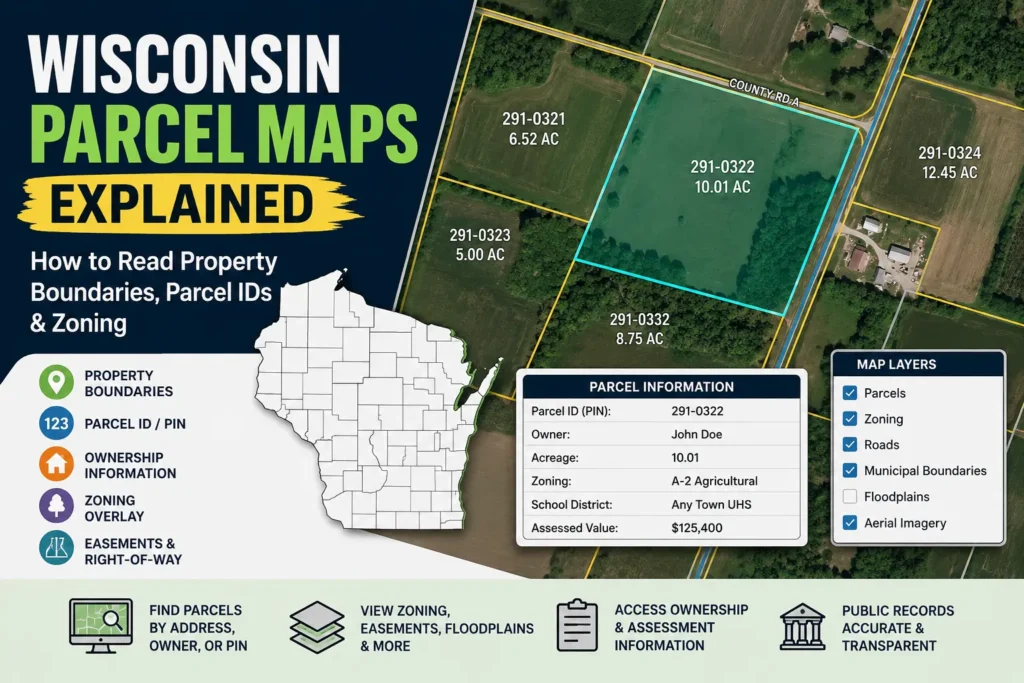
- Property boundaries (parcel lines)
- Parcel identification numbers (PINs)
- Land ownership information (in many counties)
- Zoning districts
- Aerial satellite images
- Road access and easements
- Lot size and acreage
Each county in Wisconsin maintains its own version of this system, so the layout may look slightly different depending on location, but the core information is usually similar.
Think of it as a layered map where you can turn information on or off depending on what you want to check.
What Information You Can Find on Wisconsin GIS Maps
GIS maps are not just “property line viewers.” They are detailed land information systems used by homeowners, buyers, builders, and county offices.
Property Boundaries and Parcel Lines
One of the most commonly used features is the ability to view parcel boundaries. These lines show how land is divided between neighboring properties.
In real life, this becomes important when:
- You are planning a fence and don’t want to cross into neighbor land
- You are building a garage or shed
- You are dealing with a disagreement about boundary lines
Real issue homeowners face:
Many people assume fences represent legal property lines but in many Wisconsin areas, fences are not placed exactly on official parcel boundaries.
Parcel Identification Numbers (PIN)
Every property has a unique parcel number. This is often used in tax records, ownership databases, and legal documents. GIS maps allow you to click a property and instantly view this ID.
This becomes important when:
- checking tax records
- verifying ownership
- searching county databases
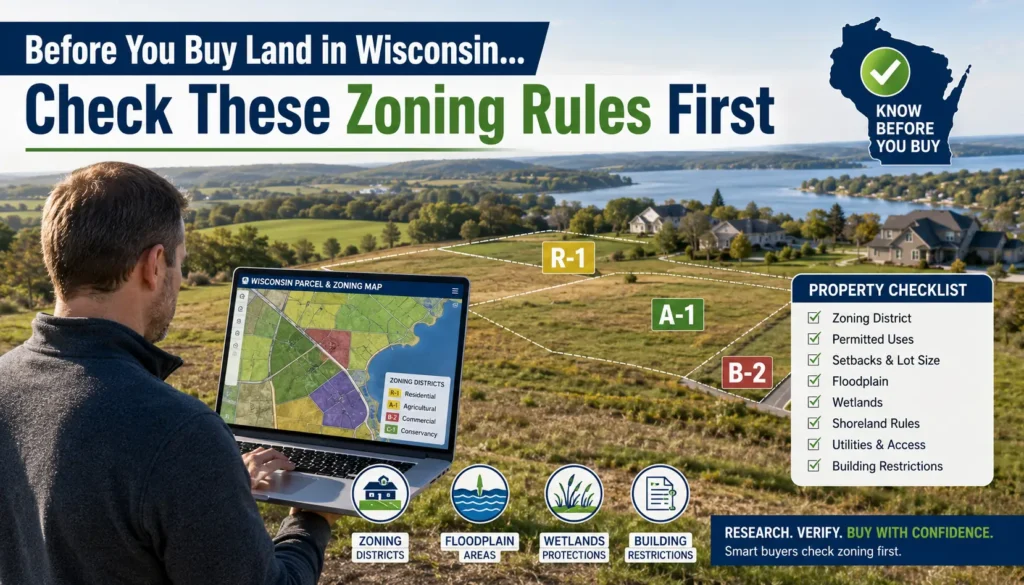
Zoning District Information
Zoning layers show how land is legally classified, such as:
- Residential
- Commercial
- Agricultural
- Industrial
- Mixed-use zones
Real-life impact (important):
Zoning decides whether you can build something not just what you want to build.
Example:
- A property may look perfect for a small business
- But zoning may only allow residential use
- Meaning you cannot legally operate without approval
Building Footprints
Many GIS systems include outlines of existing buildings. This helps you understand how structures are positioned on a lot.
Useful when:
- planning extensions
- checking setbacks
- comparing property listings
Flood Zones and Environmental Layers
Some counties also include flood risk zones and environmental overlays.
This is especially important in Wisconsin areas near rivers or low elevation land.
Ignoring this layer can lead to expensive construction mistakes.
Acreage and Lot Size
Most GIS maps also show total land area measurements, which are useful when comparing properties or verifying listing details.
Road Access and Easements
In some cases, GIS maps show access roads, utility easements, or shared driveways that affect how land can be used.
Many buyers miss this and later discover they don’t fully control access to parts of their land.
How to Access Wisconsin GIS Maps Online
Accessing GIS data is usually simple, but it depends on the county you are searching in. Most Wisconsin counties provide a free online GIS portal.
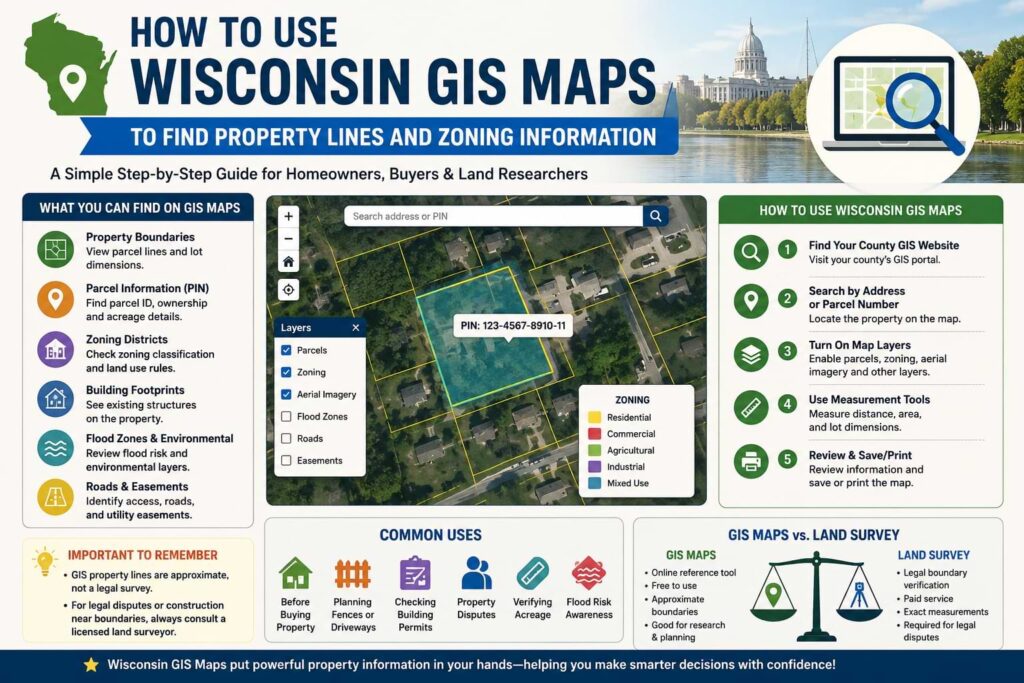
Step 1: Locate Your County GIS Website
Start by identifying the county where the property is located. Each county operates its own GIS platform, often hosted through ArcGIS or a similar system.
You can also start from general property tools like
Wisconsin Property Guide which helps you navigate toward relevant county resources.
Step 2: Search by Address or Parcel Number
Once inside the GIS system, you can search using:
- Property address
- Parcel number (PIN)
- Owner name (in some counties)
The map will zoom directly to your selected property.
Step 3: Turn On Map Layers
Most GIS tools allow you to enable or disable layers such as:
- Parcel boundaries
- Zoning districts
- Aerial imagery
- Flood zones
- Roads and infrastructure
This is where users often get confused the real power is in combining layers, not just viewing one.
Step 4: Use Measurement Tools
Many systems include tools to measure distance or area. This is useful if you want to estimate:
- Fence placement
- Setback distances
- Lot dimensions
How to Find Property Lines Using GIS Maps
When people use GIS maps, the main goal is usually to understand where property boundaries are located.
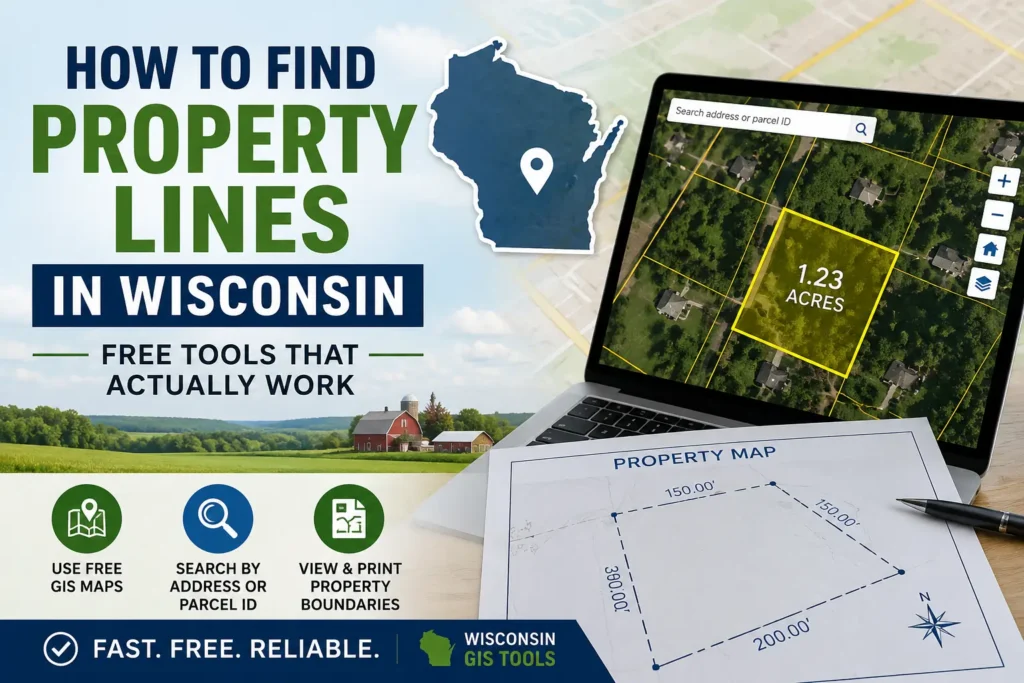
Start by locating your parcel using your address or PIN. Once the property is highlighted, look for the boundary layer. This will outline the approximate shape of your land.
Then compare it with aerial imagery to match:
- fences
- driveways
- trees
- buildings
Important Real-World Mistake (Very Common)
Many homeowners trust GIS lines as exact legal boundaries.
This leads to problems like:
- building fences slightly over boundary
- disputes with neighbors
- incorrect assumptions during construction
GIS maps are reference tools, not legal boundary proof.
How to Check Zoning Information in Wisconsin
Zoning determines how land can be used, and this is one of the most important parts of any property search.
When you enable zoning layers in a GIS map, each property is assigned a color or label.
Common zoning types include:
Residential zoning
Homes, apartments, housing developments.
Agricultural zoning
Farms, livestock, rural land use.
Commercial zoning
Shops, offices, retail businesses.
Industrial zoning
Factories, warehouses, manufacturing.
Mixed-use zoning
Combination of residential + commercial use.
Real-life example:
A buyer purchased land thinking they could open a small café.
Later they found zoning allowed only residential use and they had to apply for special permission.
Common Reasons People Use Wisconsin GIS Maps
GIS maps are used in everyday situations more often than people realize.
Before Buying Property
Buyers verify land size, zoning, and boundaries before purchase.
Planning Fences or Driveways
Homeowners avoid building on neighboring land.
Checking Building Permits
Contractors confirm zoning before submitting applications.
Property Disputes
Neighbors compare boundary expectations.
Verifying Acreage
Listings are double-checked using GIS tools.
Flood Risk Awareness
Buyers check environmental overlays before purchasing.
Wisconsin Counties That Provide GIS Mapping Tools
Most counties in Wisconsin offer GIS systems, including:
- Dane County
- Milwaukee County
- Waukesha County
- Brown County
- Racine County
- Winnebago County
Each system looks different, but the goal is the same: parcels + zoning + land data.
GIS Maps vs Official Land Surveys
| GIS Maps | Professional Land Survey |
|---|---|
| Online reference tool | Legal boundary verification |
| Free access | Paid service |
| Approximate boundaries | Exact measurements |
| Planning use | Legal disputes use |
Key point most users ignore:
If money, construction, or legal ownership is involved only a survey is valid.
Common Problems When Using GIS Maps
Users often face:
- Fence not matching boundary lines
- Outdated aerial images
- Missing zoning layers
- Confusing map legends
- Mobile display issues
These issues usually come from data update cycles, not user error.
Tips for Reading Wisconsin Property Maps More Accurately
- Always zoom to maximum detail
- Compare parcel lines with aerial images
- Check legend carefully
- Cross-check parcel number with tax records
- Use multiple layers together
- Confirm critical decisions with county office
Frequently Asked Questions (FAQ)
Are Wisconsin GIS property lines legally accurate?
No. They are approximate and not legal survey replacements.
Can I check zoning information for free?
Yes, most counties provide free GIS access.
Do all Wisconsin counties have GIS maps?
Most do, but features vary.
Can GIS maps show easements?
Sometimes, depending on county data availability.
How do I find a parcel number?
Search address in county GIS and click property.
Can GIS maps help resolve fence disputes?
Only for reference not legal proof.
Final Thoughts
Wisconsin GIS maps are one of the most useful tools for understanding land, property boundaries, and zoning rules without needing physical documents or office visits.
They are especially helpful for early-stage research whether you’re buying land, planning construction, or trying to understand your property better.
Still, the key is using them correctly: GIS maps give you direction, but surveys and official county records provide legal certainty.
When used together, they give you the clearest and most reliable understanding of any property in Wisconsin.