You think you know where your property ends until your neighbor puts up a fence two feet into your yard. Or your contractor asks for exact lot dimensions before breaking ground. Or you’re about to buy land and realize the listing description is vague at best.
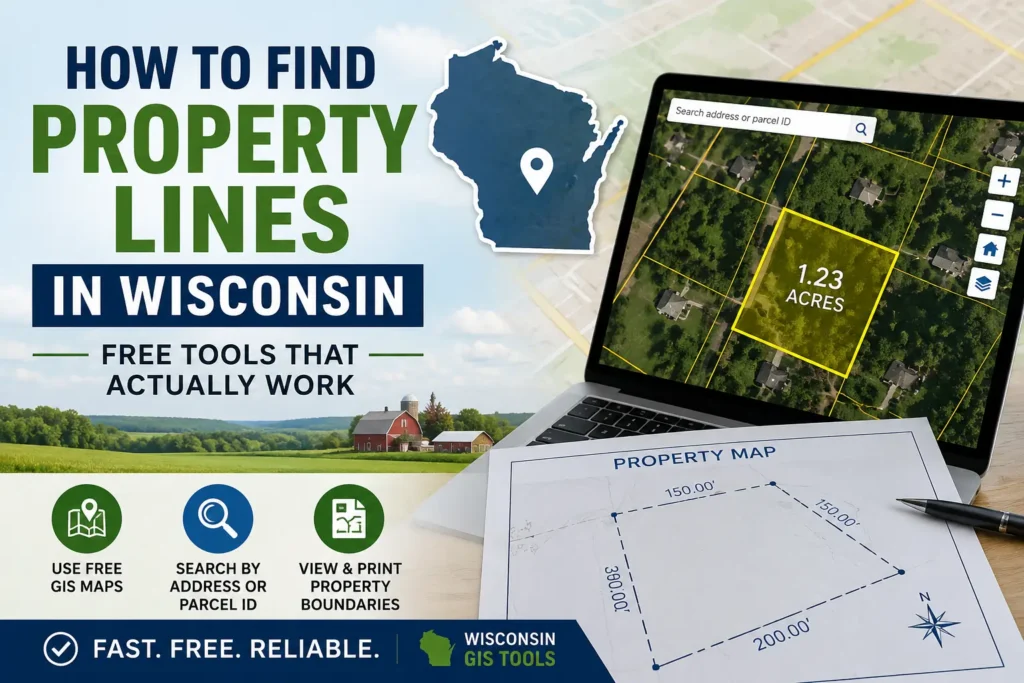
Finding property lines in Wisconsin used to mean hiring a surveyor and waiting weeks. Today, you can pull up your parcel boundaries in under a minute for free from your phone or laptop. This guide walks you through every reliable online tool, how to use them, and when the free route isn’t enough.
📍 Quick Answer
To find property lines in Wisconsin online:
- Use your county GIS parcel map.
- Search by address or parcel ID.
- Click the parcel to view property boundaries.
- Compare boundaries with satellite imagery.
- For legal boundary verification, hire a licensed surveyor.
Important: Online parcel maps are useful for research and planning, but they are not a legal substitute for a professional land survey.
Why Property Line Searches Matter More Than People Realize
Most Wisconsin property owners only start caring about boundary lines when something goes wrong. A neighbor dispute. A permit application that requires setback measurements. A fence project gone sideways. A property sale that raises questions about lot size.
By that point, the stakes are higher and your options are narrower.
Knowing your property lines upfront protects you from costly mistakes building a structure that encroaches on a neighbor’s land, buying property with boundary issues you missed, or losing a dispute simply because you didn’t have the information. The good news is that Wisconsin has some of the best publicly available land data in the country.
The Official Starting Point: Wisconsin’s Statewide Parcel Map
The State Cartographer’s Office (SCO) at the University of Wisconsin maintains a statewide parcel map that pulls data from all 72 Wisconsin counties. This is as official as it gets for free online access.
How to access it: Go to maps.sco.wisc.edu/Parcels
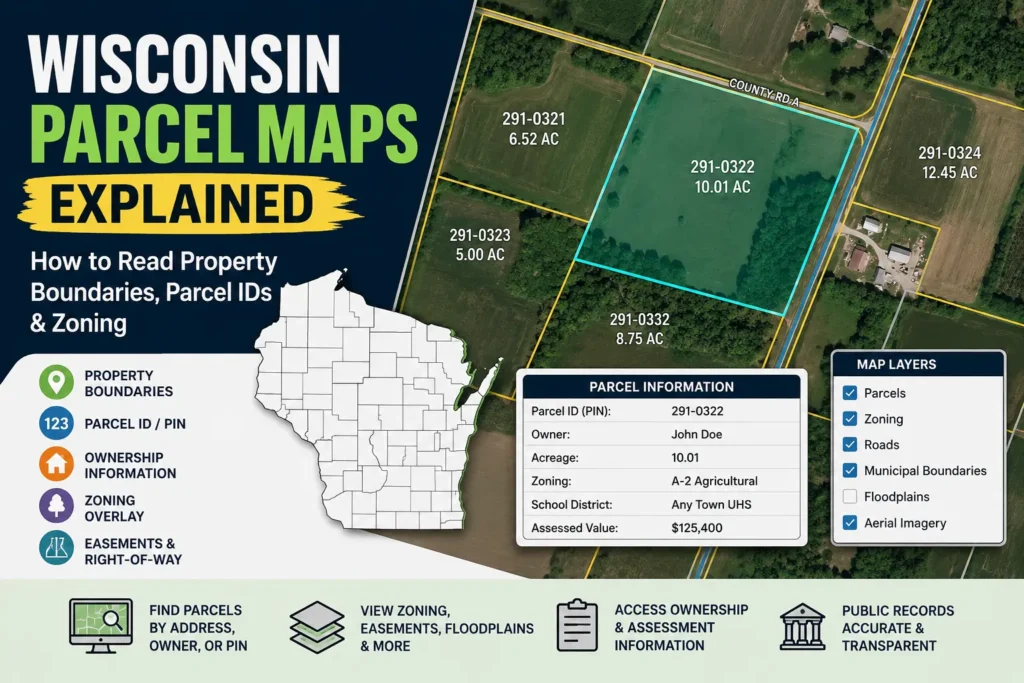
You can search by address, parcel number, or just zoom into a location on the interactive map. Each parcel shows the boundary lines, owner information, and links back to county-level records.
One thing the SCO is upfront about: the source data for parcel polygons was collected between January and May of 2025, and the tax roll year for most records is 2024, as the assessment cycle lags a year behind. For the most current and comprehensive parcel data, local government land information websites or county offices are a better first stop.
In other words it’s excellent for reference, but your county’s own GIS portal will usually be more current.
Your County GIS Portal: The Most Accurate Free Option
Wisconsin’s county-based GIS mapping systems combine parcel data, zoning layers, aerial imagery, and tax records into one interactive map that you can use online. Every county maintains its own system, and while the interfaces differ, the underlying information is the same: who owns what, where it starts, where it ends.
Here’s how the major counties handle it:
Dane County (Madison Area)
Access Dane’s interactive GIS at accessdane.co.dane.wi.us. You can search by address or owner name and pull up parcel boundaries with zoning overlays.
Milwaukee County
Milwaukee’s Land Records Search portal lets you look up parcels by address, owner, or tax key number. The map viewer shows parcel lines on both street and satellite views.
Waukesha County
Waukesha County’s open data site provides parcel data with geometry current through mid-2026 and tax information updated regularly. You can download the data or use the interactive viewer at their Land Information System portal.
Brown County (Green Bay Area)
Brown County’s official GIS Map is the BrownDog Online GIS Map it’s where you’ll find property lines, aerial photos, streets, addresses, and a whole lot more. It’s one of the more user-friendly county systems in the state.
For every other county, go to the county’s official website and search for “GIS,” “Land Records,” or “Parcel Map.” All 72 Wisconsin counties have some version of this online.
Wisconsin Property Map: The Easiest Tool for Most People
If navigating county GIS portals feels like reading a technical manual, wisconsinpropertymap.com was built for you.
The tool plots every parcel in Wisconsin over 3.5 million lots across all 72 counties using the same boundary data your county assessor and GIS office maintain. You can search by owner name, address, acreage, market value, school district, or zip code. Find your property, click it, and download a print-ready map with property lines drawn, every side labeled in feet, a scale bar, and satellite imagery no account required.
It’s the closest thing to a one-click solution for Wisconsin property line research, and it doesn’t require creating an account for basic lookups.
Best Wisconsin Property Line Tools Compared
| Tool | Best For | Cost | Accuracy |
|---|---|---|---|
| County GIS | Most Current Data | Free | ⭐⭐⭐ High |
| SCO Parcel Map | Statewide Search | Free | ⭐⭐⭐ High |
| Wisconsin Property Map | Easy Printable Maps | Free | ⭐⭐⭐ High |
| Regrid | Mobile Use | Freemium | ⭐⭐ Medium |
| AcreValue | Rural Land | Free | ⭐⭐ Medium |
Step-by-Step: How to Find Your Property Lines Online
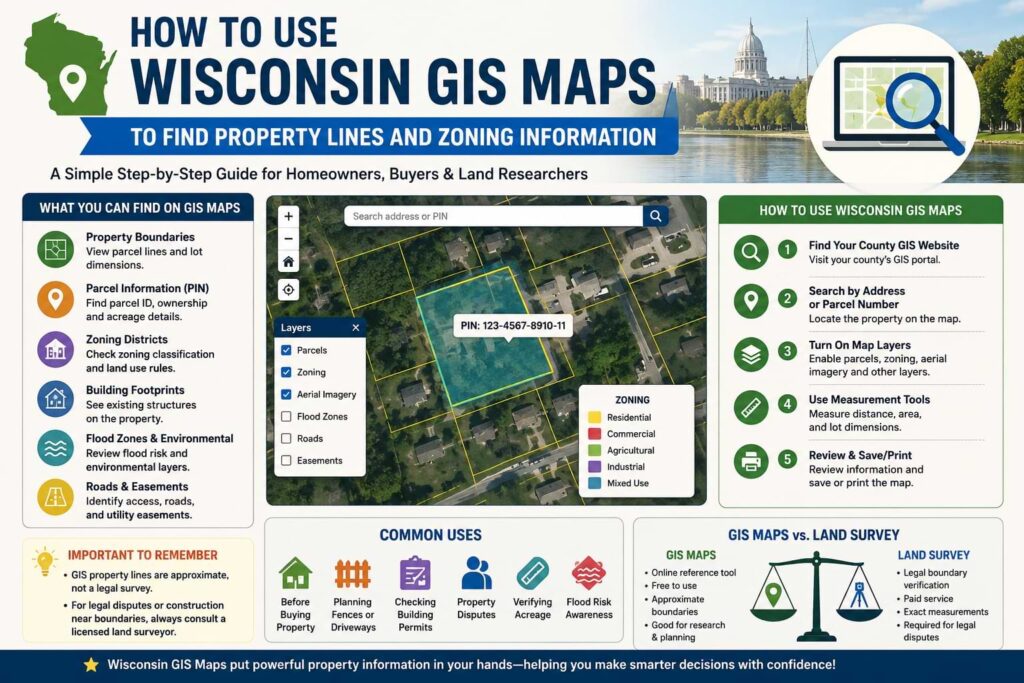
Here’s the process that works for most Wisconsin property owners in under five minutes:
Step 1 — Pick your tool Start with your county’s GIS portal for the most current data. If you can’t find it or the interface is confusing, use wisconsinpropertymap.com or the SCO statewide map.
Step 2 — Search by address Type in the property’s street address. Every major Wisconsin GIS tool supports address search. If it’s a rural parcel without a clear address, use the parcel ID number from your tax bill.
Step 3 — Click the parcel Once the map zooms to your area, click directly on the parcel. A popup or sidebar will show you the owner’s name, parcel ID, acreage, legal description, and assessed value.
Step 4 — Enable the boundary layer Most GIS tools show parcel lines by default. If they’re not visible, look for a “Layers” or “Legend” option and make sure the parcel or cadastral layer is turned on.
Step 5 — Zoom in for detail At street level, you can see individual lot lines with their approximate dimensions. Switching to satellite view lets you compare the digital boundary against what’s physically on the ground.
Step 6 — Save or print Most county GIS portals have a print or export function. Wisconsin Property Map lets you download a ready-to-use PNG of your parcel.
What These Maps Can and Can’t Tell You
This is the part most guides skip over, and it’s the most important thing to understand before acting on what you see.
What online parcel maps are good for:
- Getting a general picture of where your property boundaries are
- Researching a property before buying
- Planning a fence, landscaping, or small project
- Identifying neighboring parcels and who owns them
- Finding your parcel ID for further research at the county office
What they cannot do:
The boundaries depicted on the Wisconsin Statewide Parcel Map do not represent the legal ownership boundaries of any property. The delineation of legal boundaries may only be conducted by a licensed surveyor.
Parcel boundaries are approximate. They reflect the county’s digital records, not a field survey, and can be off by several feet — more on older or rural parcels.
Coordinates and GIS data obtained via a mapping program or GPS unit are not a substitute for a property survey. Wisconsin statutes, national standards, and local ordinances detail specific requirements for varying types of surveys.
The short version: use online maps to understand your property. Hire a surveyor when precision and legal standing actually matter.
Quick Tips to Get Better Results
- Use the parcel ID, not just the address — Rural parcels and newly subdivided lots sometimes have address mismatches. Your parcel ID (found on your tax bill) always pulls the right record.
- Cross-check satellite imagery — Zoom in and compare where the mapped boundary lines fall against visible fences, driveways, or other markers on the ground. Discrepancies are worth noting.
- Look at neighboring parcels too — Checking the parcels next to yours helps you confirm your lines are drawn correctly and spot any gaps or overlaps in the data.
- Check the data date — Most county GIS portals show when the parcel data was last updated. If it’s more than a year old, call the county land information office for the most current version.
- Save your parcel ID — Write it down. You’ll need it for any follow-up with the county assessor, register of deeds, or a surveyor.
When You Actually Need to Hire a Surveyor
Hire a surveyor when you need to place a building or fence near a property line, you’re in a legal dispute with a neighbor, you’re applying for permits, you’re subdividing land, or when the deed and GIS data don’t agree.
If a neighbor disputes where the lot line is between your properties, an accurate survey can be a useful document showing where property boundaries are located.
A licensed Wisconsin land surveyor places physical monuments at your corners and produces a stamped document that holds legal weight. That’s the only thing that does. Online parcel maps, phone apps, and GPS coordinates do not constitute a legal survey under Wisconsin law no matter how accurate they look on screen.
To find a licensed Wisconsin surveyor, the Wisconsin Society of Land Surveyors (wsls.org) maintains a searchable directory by county.
FAQ: Finding Property Lines in Wisconsin
Can I find my exact property lines online for free?
You can find approximate property lines using free tools like your county’s GIS portal or the SCO statewide parcel map. These are accurate enough for planning and research but are not legally binding. For exact legal boundaries, a licensed surveyor is required.
Are Wisconsin property records public?
Yes. Wisconsin is an open records state. Parcel data, ownership records, assessed values, and legal descriptions are all public information available through county land information offices and their online GIS portals.
What if the GIS map shows a different boundary than my physical fence?
This is common, especially in older neighborhoods. The GIS boundary is the recorded parcel line; the fence may have been placed incorrectly, informally agreed upon, or built long before digital records existed. If it matters, hire a surveyor to determine which is accurate.
Does my phone’s GPS show accurate property lines?
No. GPS accuracy on a smartphone is typically 10-15 feet, and the underlying data is the same county GIS approximation not a survey instrument. Apps like Regrid or LandGlide can help you orient yourself on a property, but they can’t locate a legal boundary.
Can the county surveyor locate my property lines?
The County Surveyor cannot survey for private parties and only does field work for county projects. You need to hire a private licensed land surveyor for work on your own property.
How often is the Wisconsin statewide parcel data updated?
the Statewide Parcel Map Initiative offers an annually updated digital parcel map aggregated from all 72 county land information offices. Individual county GIS portals are often updated more frequently some monthly.
Key Takeaways
- Wisconsin property lines can be viewed online for free.
- County GIS portals provide the most up-to-date parcel data.
- The Wisconsin Statewide Parcel Map covers all 72 counties.
- Online parcel maps are not legal surveys.
- Hire a licensed surveyor for disputes, permits, or construction projects.
Conclusion
Wisconsin has more free, publicly accessible property data than most states. Between the statewide parcel map, 72 county GIS portals, and tools like Wisconsin Property Map, there’s no reason to be in the dark about where your property lines are.
Start with your county’s GIS portal or the SCO statewide map. Search by address, click your parcel, and you’ll have a clear visual of your boundaries in minutes. Save the parcel ID, compare the lines against satellite imagery, and download a copy for your records.
If you’re planning something that sits right on or near a boundary a fence, a structure addition, a driveway expansion or if there’s any legal dispute involved, don’t rely on the digital map alone. That’s when a licensed Wisconsin land surveyor earns every dollar of their fee.
Start your search now: Head to your county’s GIS portal (search “[county name] Wisconsin GIS parcel map”) or go directly to maps.sco.wisc.edu/Parcels for statewide access.